• home
  • What's New

    What's New in September 2011?

    Welcome! Thank you for visiting my site. My name is Suzy and I've been providing apps and templates to my consulting clients over the last 15 years. I'm now making them available to Microsoft Office 2007/2010 users (Macs later!).

    There is only a limited selection of products available right now (my first couple of months) - by next month there will be a wider selection, so please bookmark this page and visit again. Click the STORE button (above) to see detailed descriptions of the different products that are available for purchase.

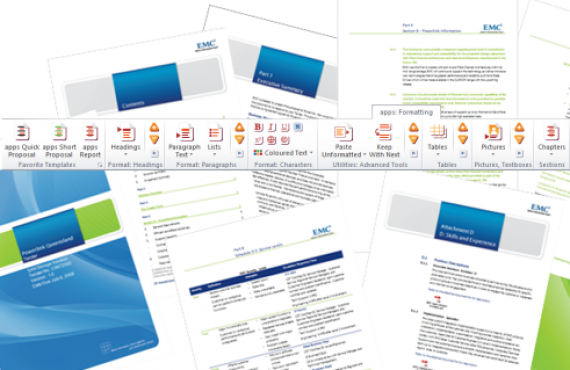
    New apps this month: The first apps available for purchase are designed to give you the best shortcut buttons for working with large documents. I believe all MS Word users should have them.

    New templates this month: Proposal, Report and Procedure templates; all have a 1.5cm margin, but slightly different autonumbered heading numbering systems, and different indent settings; otherwise they are quite similar in structure and all have short and long document versions. Adapt them to match your brand colours.


    Click the envelope button to place a request --->

  • Efficiency apps

    apps for Microsoft Word

    How do MS Word experts make it look so easy?

    Have you ever seen someone work with a large document in Microsoft Word who makes it look as relaxing as a walk in the park? Ever wondered how you could do that too? You can.

    There's a right way and a wrong way to do things in Microsoft Word. The right way allows you to get your documents finished and out the door fast; looking fantastic. And the wrong way, well, if you are like me, you know about that! It's late nights struggling over a table, or a bulleted list... aaah!

    But, what if you had a collection of apps that did things the right way? Do you think it might save you a little time if you didn't have to stop and fix things? Do you think you might write better?

    That's been my theory for a while now, and I've seen many people who used to be stressed trying to do almost anything, to being free to focus just on writing their document. Read more ...

    Click the STORE button (above) to take a look at the apps available so far - prices for simple, but really useful apps start at just $0.99 cents!!

  • Templates

    Templates for Microsoft Word

    Do you want to create great looking documents?

    apps: templates have been built to put all the secrets I know at your fingertips, giving you the document formatting framework you need for fast, efficient and consistent results every time. (... As luck would have it, I just happen to be a Microsoft Word guru - and these are my secrets).

    Over the past twenty years I've helped thousands of people start working with Microsoft Word in an easier way; a way that they never thought would be possible. Isn't it your turn to have an easier way?

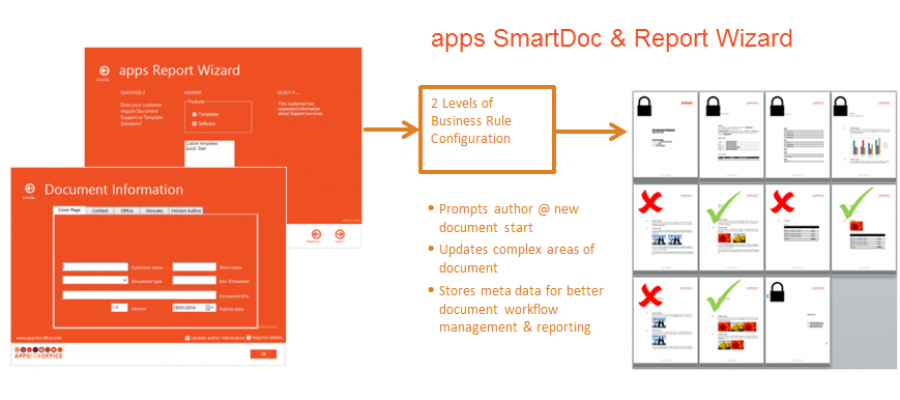
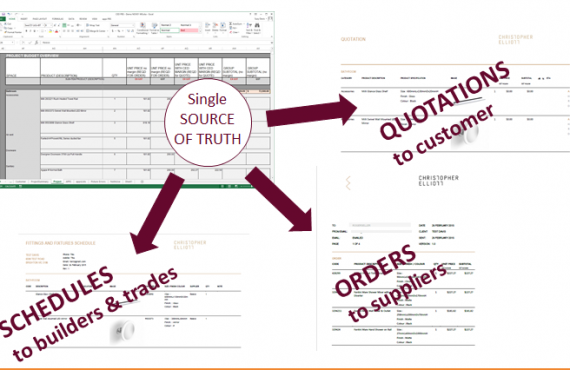
    In my STORE you'll eventually find templates for all kinds of documents, from Reports and Proposals, to Letters and Quotations. You'll also find template engines to automate your templates.

    You can change the colours used in these templates and other elements to suit your branding requirements. If you are not sure - email me and I'll let you know how you can adapt an existing template, or recommend a different template build.

    Click the STORE button above - template prices start at just $19.90.

  • Testimonials

    gallery-item-01 gallery-item-01 gallery-item-01 gallery-item-01 gallery-item-01 gallery-item-01 gallery-item-01 gallery-item-01 gallery-item-01
  • Support

    Consulting and Support

    Visit the knowledge base for articles on how to use our apps and templates, change template colours and graphics, and find other useful articles on how to get started with computers.

    I'm also happy to help you via email if you are having difficulty getting started. And if you need serious help, click the STORE button above to book a remote support call (during Australian business hours) and I, or a member of my team, will help you. You can also book a place in a webinar in which I demonstrate how to take the actions described in the instructions, and answer questions. Click the envelope and let me know if you would like a new webinar to be scheduled (and when).

    I welcome your enquiries regarding small and large document solutions; technical writing and RFP support; and of course, my favorite, helping you save time while you work with an automated document and template solution. You can read a bit more about my consulting practice at www.createspace.com.au


    Click the envelope to contact me--->

  • Prices

    Prices

    app prices start from just $0.99c, and document templates from $19.90

    app and template packages are ready for download usually within 3 hours of purchase (during Australian business hours); and within 12 hours at other times (unless you've requested a new product build).

    When your package is ready we send you a download link and instructions.

    Click the STORE button above to see detailed descriptions of the different products that are available for purchase.


    HEY! What's a Ribbon? The new 'toolbar' (with the buttons) you see in Microsoft Office 2007 and 2010 is called a Ribbon. Earlier versions of Microsoft Word have a Menu and Toolbar system.

  • Contact Us

    Contact Us


    PO Box 404
    Brighton Vic 3186
    (Melbourne)
    Australia

    Phone: +61 433 489 989
    (Australian EST Business Hours)